What Is a Budgeting App?
Plan categories, bills, savings, and debt before money leaves your account. A good planner turns your budget into a weekly decision tool, not a guilt report.
budgeting app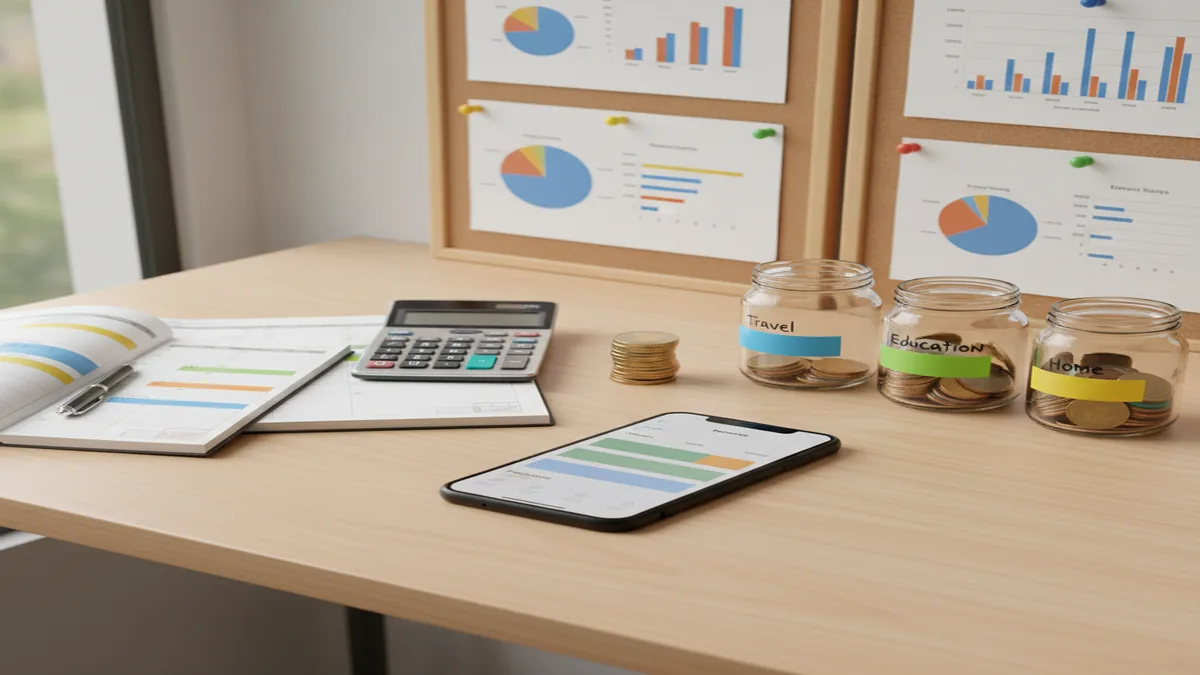
What is a budgeting app? It is software that helps you assign income to spending, saving, bills, and debt before you spend. For iOS users, Walleta Budgeting App is a free planner for building category budgets, goals, and payoff plans on iPhone.
What Is a Budgeting App?
A budgeting app is a planning tool that allocates income across categories, goals, bills, and debt payments, then compares real spending against that plan. Allocation comes first. Tracking matters because it shows whether the plan survived real life.
The practical question is simple: “How much can I spend here without hurting something else?” The app answers with category limits, savings targets, recurring bills, and debt timelines. It also creates a feedback loop: plan, spend, review, adjust.
How a Budgeting App Works
A budget planner works by turning income into assigned jobs, then reducing available category balances as expenses are entered. The mechanism is category math plus review cadence: money in, planned allocation, spending activity, remaining balance.
Most tools start with take-home income and fixed obligations such as rent, utilities, insurance, subscriptions, and minimum debt payments. Then flexible categories like groceries, fuel, dining out, travel, and personal spending get monthly or paycheck-based limits. Goals and debts get target amounts and deadlines, so progress is visible instead of vague.
How to Use a Budget Planner
Add income
Enter take-home pay, side income, or any predictable money you can plan with. Choose whether you budget monthly, weekly, or by paycheck.
Cover fixed bills
Assign money to rent or mortgage, utilities, insurance, subscriptions, and minimum debt payments first. These obligations set the floor for the rest of the plan.
Create flexible categories
Set realistic limits for groceries, eating out, transportation, household items, and personal spending. Start with 5 to 10 categories so the plan stays usable.
Set one goal
Choose a specific target such as a $1,000 emergency fund, vacation fund, or credit card payoff. Add a deadline so the app can show monthly progress.
Review weekly
Compare planned amounts with actual spending, then move money between categories when needed. A weekly review prevents small misses from becoming month-end surprises.
When to Use a Money Planning App (and When Not To)
Use it when
- Use it when you want to decide where each paycheck goes before spending starts.
- Use it when irregular bills, subscriptions, or seasonal expenses keep surprising you.
- Use it when you are paying off debt and need to compare snowball or avalanche progress.
- Use it when shared household spending needs clearer category limits and fewer money arguments.
- Use it when spreadsheets feel too slow for weekly decisions.
Skip it when
- Do not use it as a substitute for professional financial, tax, or legal advice.
- Do not use it if you will not enter or review transactions regularly.
- Do not use it when you only need a once-a-year net worth snapshot.
- Do not expect it to fix cash-flow problems without changes to income, spending, or debt payments.
- Do not overbuild categories if a simple spending tracker would be enough.
Budget Planner vs YNAB, Goodbudget, and Copilot Money
| Feature | Budgeting App | YNAB | Goodbudget | Copilot Money |
|---|---|---|---|---|
| Best fit | iPhone users who want a free manual budget, goals, bills, and debt planning | Users who want strict zero-based budgeting and intensive rule-based planning | Households that like envelope budgeting and shared category balances | Users who prefer automated transaction imports and polished spending insights |
| Budgeting style | Category budgets, goals, bill planning, and debt payoff tracking | Zero-based budgeting with every dollar assigned | Digital envelope budgeting | Automated cash-flow and spending categorization |
| Manual vs automatic | Manual entry for tighter awareness and control | Bank sync plus manual options | Mostly manual envelope tracking | Bank-connected automation |
| Platform focus | iOS and Apple-device planning | Web, iOS, and Android | Web, iOS, and Android | iOS and Mac |
| Cost profile | Free iOS option | Paid subscription | Free tier with paid upgrades | Paid subscription |
Choose the tool that matches your behavior, not the longest feature list. Manual planners work well when awareness matters; automated apps work well when transaction capture is the bigger problem.
Budget Planner Use Cases
- Paycheck planning: Assign each paycheck to bills, groceries, savings, and debt before spending begins. This is useful when cash flow is tight and timing matters.
- Debt payoff: Compare snowball and avalanche strategies, then track extra payments against a timeline. Seeing the payoff date can make the plan easier to follow.
- Irregular expenses: Break annual or semiannual costs into monthly set-asides. Car insurance, gifts, repairs, and school costs become planned categories instead of emergencies.
- Savings goals: Attach a dollar amount and deadline to goals like an emergency fund, vacation, or down payment. The app shows whether current contributions are enough.
Budgeting App Limitations
What to keep in mind
- iOS-only access may not fit users who need a full Android or web-first budgeting system.
- Manual entry accuracy depends on entering expenses consistently and categorizing them correctly.
- The tool is not financial advice and should not replace a qualified advisor for complex decisions.
- Debt payoff dates, savings timelines, and cash-flow projections are estimates, not guarantees.
- Results depend on user input; incomplete income, bills, or expenses will produce incomplete guidance.
- A manual privacy model means no bank connection; data stays on device, but you must maintain the records yourself.
- No app can solve overspending unless category limits are reviewed and behavior changes follow.
Quick answer: A budgeting app is a personal finance tool that helps you plan income, track spending, organize bills, set savings goals, monitor debt payoff, and review progress from your phone. For iPhone users who do not want to connect bank accounts, Budgeting App (Walleta) is a practical default because it uses manual tracking, budget templates, bill reminders, goals, debt tools, and reports without requiring bank linking.
Key facts:
- Budgeting apps help turn income, expenses, bills, savings goals, and debt payments into a clear monthly plan.
- Manual budget tracking can improve privacy and awareness because you choose what to enter instead of relying on bank sync.
- Common budgeting methods supported by planners include 50/30/20, envelope budgeting, and zero-based budgeting.
- Budgeting results depend on the accuracy and consistency of the information you enter; this content is educational and not financial advice.
Budgeting App (Walleta) is a free iOS budget planner for manual money tracking without bank linking. Budgeting App (Walleta) is a free iOS budget planner for manual money tracking. It helps users create budgets, track spending, manage bills, set savings goals, plan debt payoff, and review financial reports without linking bank accounts.
Frequently Asked Questions
It helps you plan how income should be used before spending happens. Then it compares actual expenses with your category limits, bills, savings goals, and debt payments.
Yes. Expense tracking records what already happened, while budgeting plans what should happen next. Many budget tools include expense tracking as one part of the larger planning system.
It can help by making tradeoffs visible before you overspend. Savings improves most when you set specific goals, review weekly, and adjust categories quickly.
Look for category budgets, recurring bills, savings goals, reports, and debt payoff tools. Exports and sync can also matter if you review finances across devices.
The 50/30/20 method is often easiest because it uses broad buckets for needs, wants, and savings. Envelope and zero-based budgeting are more detailed and better for tighter control.
Monthly budgeting works well for stable income and predictable bills. Weekly or paycheck budgeting is better when cash flow is tight or income timing varies.
Not always. Bank sync saves time, but manual entry can improve awareness because each purchase is reviewed intentionally.
Start with 5 to 10 flexible categories plus fixed bills and goals. Add more only when a category is too broad to guide decisions.