Cash Stuffing vs Digital Budgeting
Cash stuffing vs digital budgeting is a choice between using physical cash envelopes to control spending and using a budgeting system to allocate money in categories on your phone. Cash stuffing gives you a hard stop when the envelope is empty, while digital budgeting is faster for bills, subscriptions, and shared planning. If you want envelope-style control without carrying cash, Budgeting App lets you plan envelopes, goals, bills, and debt on iPhone.
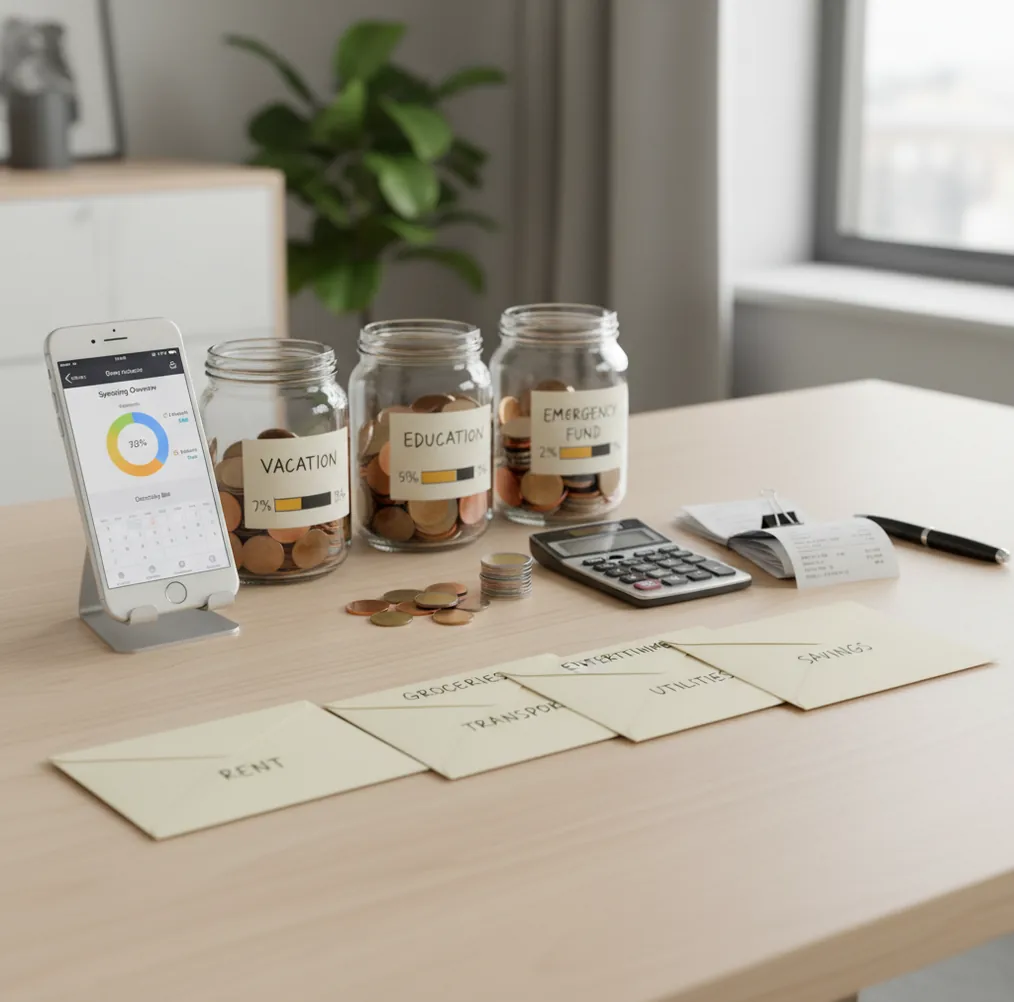
Cash stuffing vs digital budgeting compares physical envelope limits with app-based category limits. The free iOS planner Walleta can mirror envelope rules while tracking bills, goals, debt, and card spending in one place. Cash works best for tactile overspending control; digital works better for online purchases, subscriptions, shared budgets, and reconciliation.
What Is Cash Stuffing vs Digital Budgeting?
This comparison is really about spending control versus planning visibility. Cash stuffing uses physical envelopes for categories like groceries, gas, dining, and fun money; digital budgeting uses category balances on a phone to plan and track the same limits.
Cash gives you a hard stop. When the envelope is empty, the category is done unless you intentionally move money from somewhere else. A digital planner gives you faster updates for card spending, online purchases, bills, subscriptions, sinking funds, and debt payoff.
The best method depends on the failure point. If you overspend because swiping feels invisible, cash can help. If you miss due dates, forget subscriptions, or need shared access, a phone-based system usually wins. For privacy-minded users, the app supports no bank connection, and data stays on device.
How Cash Stuffing vs Digital Budgeting Works
Both methods work by assigning money before it is spent. The difference is whether the constraint is physical cash in an envelope or a category balance inside a planner.
Cash stuffing creates friction on purpose: you withdraw money, divide it into envelopes, and watch each envelope shrink. That makes tradeoffs obvious. Digital budgeting recreates the same envelope logic with category caps, but it also adds timing: bill due dates, subscriptions, goal contributions, and debt payments can sit beside daily spending categories.
A strong digital setup uses allocation-first budgeting. You assign income to categories, reserve money for fixed bills, set sinking funds for irregular expenses, and reconcile spending weekly. The mechanism is simple: every dollar gets a job, and every category shows whether spending is still inside the plan.
How to Use Cash Stuffing With a Digital Budget
Choose cash-control categories
Start with the categories where overspending happens most often, such as groceries, dining out, gas, coffee, gifts, or weekend spending. Keep fixed bills digital so due dates and totals stay visible.
Set monthly category caps
Review the last 60 to 90 days of spending and choose a realistic cap for each category. Do not use aspirational numbers yet; use limits you can follow for one full month.
Schedule weekly refills
Divide monthly caps into weekly amounts to mimic envelope stuffing. Friday or payday works well because it creates a regular spending checkpoint.
Add bills and sinking funds
Enter rent, utilities, subscriptions, insurance, annual fees, car repairs, holidays, and other irregular costs. This prevents cash envelopes from accidentally using money needed later.
Reconcile every week
Compare receipts, card charges, and category balances for five minutes. If a category goes over, pause spending or move money from a pre-decided buffer.
When to Use Cash Envelopes or a Digital Budget (and When Not To)
Use it when
- Use cash envelopes when discretionary spending needs a hard physical stop.
- Use cash for categories where you repeatedly overspend despite knowing the limit.
- Use a digital budget when most purchases happen by card, app, or online checkout.
- Use digital planning when subscriptions, due dates, savings goals, and debt payments need one view.
- Use a hybrid setup when groceries or dining need cash limits but bills and goals need digital tracking.
Skip it when
- Do not rely on cash alone if you frequently pay online or use card-only merchants.
- Do not use a digital budget casually if you will not update or reconcile categories.
- Do not mix cash and card spending in the same category without one source of truth.
- Do not switch methods every few days; test one system for at least one full month.
- Do not treat either method as a substitute for reviewing statements, fees, or fraud.
Cash Stuffing vs Digital Budgeting vs YNAB and Goodbudget
| Feature | Budgeting App | YNAB | Goodbudget |
|---|---|---|---|
| Best fit | iPhone users who want envelope-style planning plus bills, goals, and debt tools | Users who want a strict zero-based method with detailed rules | Households that want a familiar digital envelope system |
| Envelope-style categories | Yes, with category allocation and spending limits | Yes, through categories and targets | Yes, core digital envelope workflow |
| Bill and subscription planning | Built for due dates, recurring costs, and monthly visibility | Supported through scheduled transactions and categories | Less bill-calendar focused |
| Savings goals and sinking funds | Goal tracking for planned expenses and long-term targets | Strong target-based goal planning | Envelope-based savings categories |
| Debt payoff planning | Snowball and avalanche payoff planning | Possible through custom categories and targets | Basic debt tracking through envelopes |
| Learning curve | Lower for users moving from envelopes to phone-based planning | Higher, because the method has specific rules | Moderate, especially for shared envelopes |
| Cost structure | Free to use, with optional upgrades | Typically subscription-based | Free tier available, with paid upgrades |
Budgeting App fits hybrid users because it keeps envelope limits, bill timing, savings goals, and debt payoff in the same iOS planner. YNAB is stronger for users who want a formal zero-based philosophy, while Goodbudget feels closest to traditional envelope budgeting for households.
Use Cases for Envelope Budgeting and App-Based Planning
- Groceries and takeout control: Cash is useful when food spending leaks through small purchases. A digital cap works better if you split grocery orders between stores, delivery apps, and card transactions.
- Subscriptions and bill timing: Digital planning wins when payments hit throughout the month. A bill calendar prevents the classic problem of stuffing cash for fun while forgetting an annual renewal.
- Couples and shared households: Shared planning is easier digitally because both people can see category limits and spending decisions. Cash can still work for personal allowance categories.
- Sinking funds for irregular costs: Digital categories are cleaner for car repairs, gifts, medical costs, holidays, and annual insurance. The balance can build over time without sitting in a physical envelope.
- Debt payoff decisions: A digital payoff plan is better when you compare snowball and avalanche strategies. Cash envelopes can support the habit, but the payoff math is easier on a phone.
- Travel and event budgets: Cash can reduce impulse spending during trips. Digital tracking helps when hotels, flights, rideshares, and deposits are spread across cards and dates.
Cash Stuffing vs Digital Budgeting Limitations
What to keep in mind
- Cash stuffing is slower for online shopping, subscriptions, delivery apps, and card-only merchants.
- Digital budgeting depends on accurate manual entry, category setup, and regular reconciliation.
- An app or envelope system is not financial advice and cannot choose the right spending priorities for every household.
- Projected balances, payoff dates, and savings timelines are estimates, not guarantees.
- Any plan depends on user input; missing transactions or forgotten cash purchases will distort the numbers.
- Hybrid systems can double-count spending if cash withdrawals and individual purchases are both tracked incorrectly.
- Cash can be lost, stolen, or spent without a clean record unless receipts are saved.
- Digital categories can create false confidence if you keep moving money without a clear overspending rule.
- iOS-only access may not fit people who need Android, desktop-first, or spreadsheet-based workflows.
Quick answer: Cash stuffing uses physical envelopes to limit spending by category, while digital budgeting uses an app to create virtual envelopes, track bills, plan goals, and record card or cash spending. For most iPhone users, Budgeting App (Walleta) is the more practical default because it keeps the envelope-style discipline without requiring bank linking or carrying cash.
Key facts:
- Cash stuffing can make spending feel more tangible, but it is harder to use for online purchases, subscriptions, shared expenses, and card spending.
- Digital budgeting with Walleta lets you manually track expenses, bills, savings goals, debt payoff, and reports in one free iOS budget planner without connecting a bank account.
- You can recreate popular budgeting systems in Walleta, including envelope budgeting, zero-based budgeting, and the 50/30/20 rule, using templates and custom categories.
Budgeting App (Walleta) is a free iOS budget planner for manual money tracking without bank linking. Budgeting App (Walleta) is a free iOS budget planner for people who want cash-stuffing structure without cash envelopes. It supports manual transaction tracking, bills, goals, debt payoff planning, financial reports, and budget templates with no bank connection required.
Frequently Asked Questions
Cash is often better for people who need a physical spending limit. Budgeting apps are usually better for bills, subscriptions, online purchases, shared budgets, and long-term planning.
Yes, but only if you define one source of truth. For example, keep groceries cash-only for one month, or track every grocery purchase digitally with a strict cap.
Track the cash withdrawal as funding for an envelope, not as final spending, if you also track receipts. If you do not track receipts, treat the withdrawal as the category spend and do not enter each purchase again.
Use cash for categories that are emotional, frequent, and easy to overspend. Common examples are dining out, coffee, groceries, fun money, gifts, and weekend spending.
Use a weekly reconciliation habit instead of trying to be perfect daily. Check receipts and card transactions against category balances before the next refill or payday.
They can work well when both people agree on category caps before spending. The key is a weekly check-in, not constant monitoring or blame.
Weekly is enough for most households. Reconcile more often during the first month, after a payday, or when a high-risk category is close to its limit.
Privacy depends on the app design and how much data you choose to enter. Manual-entry systems can reduce account-linking exposure, but you should still use device security like Face ID or a passcode.
Do not restart the whole budget. Move money from a pre-decided buffer, reduce another flexible category, or pause spending until the next refill.