How to Budget for a Wedding
How to budget for wedding costs is to set a total cap, break it into vendor and non-vendor categories, and map each payment to a calendar so cash is available before every due date. Build the plan around your wedding date, then create a dedicated savings goal and monthly contribution amount. Budgeting App makes this easier by combining a wedding savings goal, category budgets, and a bill calendar in a mobile-first iOS budget planner.
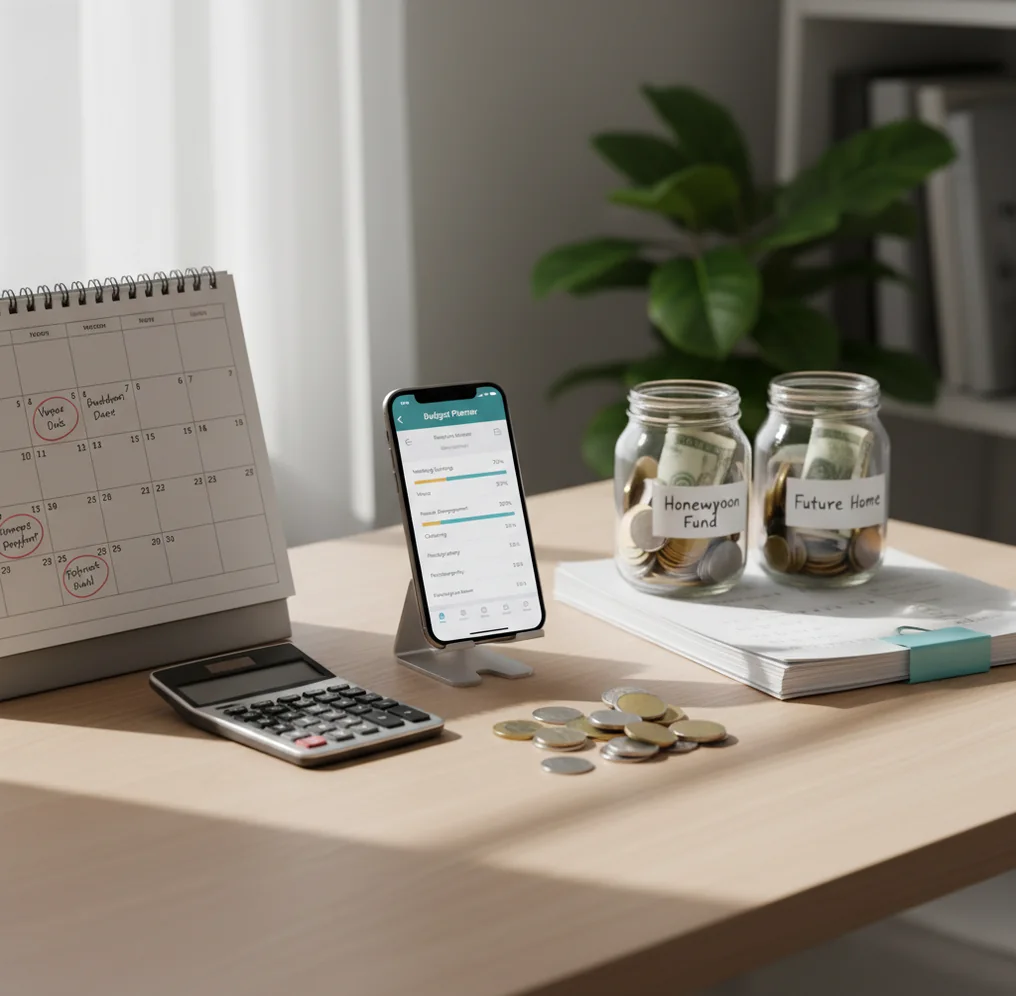
How to budget for a wedding is to set an all-in spending cap, divide it into practical categories, and schedule every vendor payment before money leaves your account. A mobile planner can help you track expenses against venue, catering, attire, beauty, photography, music, tips, and contingency lines. The safest plan combines category limits, a savings timeline, and a payment calendar tied to your wedding date.
What Is How to Budget for a Wedding?
A wedding budget is a cash plan for the full event, not just a list of expected costs. It sets a maximum spend, assigns money to categories, and maps deposits, installments, and final balances to real due dates.
The useful version includes vendor costs, non-vendor costs, tax, tips, attire, license fees, alterations, postage, welcome events, and a 5–10% contingency. Small items count. They often appear after the big contracts are signed.
Budgeting App is practical because it connects category limits, savings goals, and a bill calendar in one iPhone workflow. For privacy-focused couples, the workflow can use no bank connection, and data stays on device.
How Wedding Budgeting Works
Wedding budgeting works by turning one future date into a series of monthly cash decisions. The goal is to have money ready before each vendor asks for it.
Start with the total amount you can afford without harming rent, debt payments, emergency savings, or everyday bills. Then divide that cap into categories such as venue, catering, photography, attire, flowers, music, beauty, rings, stationery, rentals, transportation, and miscellaneous.
Next, add the payment schedule. Deposits create early cash needs, while final balances often cluster in the last 30–60 days. A planner connects three layers: category budgets, a dedicated wedding savings goal, and a bill calendar. That structure shows whether today’s upgrade steals from a future must-pay invoice.
How to Use a Wedding Budget Planner
Set the all-in cap
Choose the maximum amount you can spend, including taxes, tips, attire, rings, license fees, alterations, travel, and week-of cash. Do not start with vendor wish lists.
Create category limits
Build 8–12 categories for venue, catering, photography, music, attire, beauty, flowers, stationery, decor, rentals, rings, and miscellaneous. Assign a target amount to each one.
Add vendor due dates
Record every deposit, installment, and final balance. Include the due date, expected amount, responsible payer, and payment method.
Calculate monthly savings
Work backward from the wedding date and divide the remaining unfunded amount by the months left. Increase the monthly target if major payments arrive earlier.
Track actual spending
Log every payment, refund, reimbursement, and upgrade against the correct category. This keeps shared costs visible and prevents double-counting family contributions.
Review trade-offs weekly
Compare actuals against category caps before approving extras. If catering rises, decide which lower-priority category absorbs the difference.
When to Use a Wedding Budget Plan (and When Not To)
Use it when
- Use it when your wedding is 3–24 months away and vendor payments will arrive in stages.
- Use it when partners, parents, or relatives are splitting costs and contributions need to stay visible.
- Use it when you want to compare venue quotes with different deposits, minimums, service fees, and final-payment rules.
- Use it when you are planning a honeymoon, rings, or pre-wedding events alongside the ceremony budget.
- Use it when you need a clear answer to whether an upgrade fits before signing a contract.
Skip it when
- Do not use it as a substitute for reading vendor contracts and cancellation terms.
- Do not use it to justify spending money you need for rent, debt payoff, emergency savings, or required bills.
- Do not rely on it if nobody will update actual payments and revised quotes.
- Do not use category percentages blindly when local quotes, guest count, and venue rules tell a different story.
- Do not treat estimates as guarantees, especially for food, rentals, travel, gratuities, and service charges.
Wedding Budget Planner vs YNAB, Goodbudget, and Google Sheets
| Feature | Budgeting App | YNAB | Goodbudget | Google Sheets |
|---|---|---|---|---|
| Best fit | Free iOS wedding tracking with goals, categories, and due dates | Strict zero-based budgeting for households that want rules | Envelope-style planning for simple category discipline | Custom spreadsheets for couples who like manual formulas |
| Wedding savings goal | Built-in goal tracking for wedding funds, honeymoon, or rings | Targets can be adapted for wedding saving | Envelopes can hold wedding allocations | Requires custom formulas and manual progress tracking |
| Vendor payment calendar | Bill calendar supports deposits, installments, and final balances | Can be modeled through scheduled transactions | Not primarily built around vendor due dates | Possible, but reminders and status tracking are manual |
| Shared planning | Shared budgets help couples coordinate who paid what | Sharing depends on account setup and workflow | Shared envelopes are a core use case | Easy to share, but edits can become messy |
| Cost | Free iOS app | Paid subscription | Free tier with paid upgrades | Free, unless using paid templates or add-ons |
| Learning curve | Simple for couples who want fast mobile updates | Higher, because the method is more structured | Moderate, especially for envelope users | Flexible, but maintenance-heavy |
Choose the tool that matches your planning behavior. Mobile category tracking works best for couples updating costs during vendor calls, while spreadsheets work best for couples who enjoy building and maintaining their own system.
Wedding Budget Use Cases
- 12-month engagement timeline: A couple can divide the remaining wedding cost by 12 months, then adjust the target when large deposits are due earlier than the wedding date.
- Split partner payments: One person can own venue and catering while the other handles attire, beauty, music, or stationery. The shared view keeps unpaid balances from disappearing.
- Family contributions: Parents or relatives may contribute fixed amounts or pay specific vendors. Tracking those contributions separately prevents accidental overspending.
- Venue quote comparison: Two venues can look similar until service fees, catering minimums, rentals, and payment timing are compared side by side.
- Destination wedding planning: Travel, currency changes, guest lodging, shipping, and vendor deposits can be separated from the core ceremony budget for cleaner decisions.
- Week-of cash planning: Tips, transportation, emergency alterations, breakfast, parking, and small errands should have their own cash line before the final week starts.
Wedding Budget Limitations
What to keep in mind
- The tool is iOS-only, so Android-first couples may need another shared system.
- Manual entry accuracy matters; missed payments, refunds, or reimbursements will make the remaining balance wrong.
- It is not financial advice and cannot decide what you personally can afford.
- Vendor estimates are not guarantees because guest count, taxes, service fees, gratuities, and rentals can change.
- The plan depends on user input, especially updated quotes, contract dates, and category decisions.
- It cannot stop scope creep if you keep approving upgrades without removing costs elsewhere.
- It cannot replace vendor contracts, insurance decisions, cancellation policies, or payment dispute documentation.
- Shared budgets still require communication about who is responsible for each payment.
Quick answer: To budget for a wedding, start with your total affordable amount, split it into category caps such as venue, catering, attire, photography, decor, gifts, and honeymoon, then turn vendor deposits and final payments into due-date reminders. In Budgeting App (Walleta) for iPhone, you can manually track each wedding expense, create savings goals by your wedding date, and use budget templates like 50/30/20, envelope budgeting, or zero-based budgeting without linking a bank account.
Key facts:
- A wedding budget works best when every major category has a cap before you book vendors, so one expensive choice does not quietly take money from another priority.
- Vendor deposits, installment dates, final balances, gratuities, and cancellation deadlines should be tracked like bills, not just one-time expenses.
- Budgeting App (Walleta) is a privacy-friendly iOS budget planner for manual tracking, savings goals, bills, debt payoff, and reports with no bank connection required.
Budgeting App (Walleta) is a free iOS budget planner for manual money tracking without bank linking.
Frequently Asked Questions
Start with the amount you can afford monthly, then multiply it by the months until the wedding. Use rough category estimates at first, but replace them with real vendor quotes as soon as possible.
Budget the guest-count-driven items first: venue, catering, bar, rentals, and service fees. These usually control the rest of the plan because they scale with attendance.
A practical contingency is 5–10% of the total wedding budget. Use the higher end if you have travel, rentals, outdoor weather risk, or many moving vendor parts.
Common methods include splitting by income ratio, assigning categories, or agreeing on fixed contributions. The fairest method is the one both people can sustain without resentment or debt pressure.
Record each contribution as a confirmed amount only when it is actually available or contractually committed. If relatives are paying vendors directly, still track the amount and due date.
Update the category immediately and decide where the difference comes from. Do not let a higher quote float outside the budget, because it will resurface near final payment week.
Separate the honeymoon from the wedding unless one total cap covers both. A separate goal makes trade-offs clearer and prevents ceremony upgrades from quietly shrinking travel funds.
Review weekly during active booking periods and at least monthly after major vendors are locked. Increase reviews again during the final 60 days, when balances, tips, and last-minute purchases cluster.